AI Clothes Try-On: DressTry
- 3.7
- Rating
- 100.00K
- Installs
- Free
- Price

 Analysis by App-foxy
When I am unsure whether a new style would feel like me, I would rather test the idea before filling a shopping basket. AI Clothes Try-On: DressTry makes that kind of early exploration its focus: it uses a personal photo to help me picture clothing directions, not to certify that a real garment will fit. That distinction is the key to getting value from it. I see it as a visual planning aid for breaking a styling deadlock, imagining an outfit for an occasion, or narrowing down what to look for next.
The app is free to download, with optional purchases priced from $3.99 to $43.99 per item, so I would first see whether its approach suits my needs before paying. It is a beauty app from Glovo Studio, rated for everyone, and works on Android 7.0 and later. Version 1.6.5 has a 3.8 average from around 664 ratings, with over 100K installs. Those figures suggest an established audience, but the more useful question is whether an AI outfit image can help with the particular decision I am trying to make.
How DressTry fits into an everyday style decision
The most useful way to approach the app is with a specific question in mind. Instead of opening it and expecting it to create a complete wardrobe, I would start with something like, “Would this kind of jacket work with the trousers I already own?” or “Which general outfit direction should I try for a dinner?” That narrower goal makes the visual result easier to judge and keeps the experience from becoming a stream of random possibilities.
You May Also Like

 Blood Strike: 2.5 Anniversary
Blood Strike’s Loadouts Turn Every Drop Into a Tactical Gamble
A close look at Blood Strike’s custom loadouts: how fast access to signature weapons reshapes its battle royale rhythm, rewards preparation, and narrows the gap between fights.

 Pandora - Music & Podcasts
Pandora’s Music Is Easy to Start, but Harder to Recover
Pandora’s strength is its low-effort path from a seed to a station. Its weak spot is how much confidence it asks you to place in connection, setup, and quiet recovery.

 8 Ball Pool
 Is Built on Rivalries, Rematches, and Routine
A close look at the rivalries, rematches, shared routines, and unanswered safety questions that turn a quick pool match into a persistent mobile community.

 Samsung Music
’s Quiet Strength Is Playing What You Already Own
Its reach comes less from spectacle than from dependable access to a personal library. That simplicity is both the app’s strongest retention engine and its ceiling.

 AccuWeather: Weather Radar
AccuWeather Review: A Quick, Clear Forecast for Everyday Decisions
For everyday plans, the best forecast is the one you can understand quickly. AccuWeather makes rain timing, radar, and local conditions easy to act on, with a few trade-offs.

 Hill Climb Racing
Why Hill Climb Racing Still Turns Crashes Into One More Run
A tiny car, a bumpy hill and one more upgrade: Hill Climb Racing keeps resurfacing because its simple chaos makes every near-miss feel personal.
More From Our News Desk



The photo is the foundation of the experience, so the quality of the starting image has a noticeable effect on how useful the result feels. A clear, reasonably well-lit photo with your body visible gives the system more to work with than a cropped selfie, a group picture, or an image where clothing blends into the background. I found it helpful to prepare the image before experimenting rather than treating the camera step as an afterthought.
This is one of the app’s strongest practical lessons: the output should be read as a styling sketch, not as a guaranteed preview of a finished garment. AI can communicate the broad idea of a look, but it may not reproduce the exact drape of a heavy coat, the structure of a blazer, or the way a loose top hangs while moving. That makes the app more valuable for choosing a direction than for making a final purchase decision.
For a normal weekday scenario, imagine getting dressed for work and realizing that your usual combination feels repetitive. You could take a suitable photo, test a more formal outer layer, and compare that impression with a relaxed alternative. Even if the generated clothing is not perfectly realistic, the comparison can reveal what you actually want: sharper lines, more color, a different silhouette, or simply less visual clutter.
I also think the app has potential for planning before shopping. If I have a basic wardrobe and want to add one statement piece, a try-on concept can help me decide whether I am drawn to a new shape or merely to an attractive product image. That is a subtle but useful distinction. It can prevent some impulse purchases by turning vague curiosity into a clearer styling question.
What it helps me decide—and what it cannot
The experience is most convincing when I focus on broad appearance rather than technical accuracy. Overall color relationships, the mood of an outfit, and the difference between casual and polished styling are easier to assess than exact sleeve length or precise tailoring. I would trust it more for deciding between “minimal and neutral” and “bold and expressive” than for judging whether a particular cut will fit my shoulders.
That makes DressTry different from a conventional shopping app. A retailer’s product page is usually better for checking fabric details, available sizes, garment measurements, and actual product photography. DressTry is more useful earlier in the process, when I am still asking what kind of look I want. In that sense, it sits between a mood board and a virtual fitting experiment.
It also differs from a standard photo editor. A normal editor gives me direct control over filters, cropping, and visual adjustments, while this app is centered on changing the clothing concept itself. The trade-off is control. I may get a faster fashion idea, but I should not expect the same precision I would have from manually building an outfit collage or editing individual pieces myself.
One workflow I found particularly sensible is to use the app in stages. First, choose a clean personal photo. Next, test only one major change, such as the outer layer or general outfit style. Then compare the result with what is already in your closet. Finally, use ordinary shopping research to check real materials, sizing, and return conditions. This keeps the imaginative part separate from the practical purchase decision.
Photo choices and comparisons that make the app more useful
Lighting deserves more attention than many people expect. A photo taken under uneven indoor light can make colors harder to interpret, especially when the original clothing is dark or patterned. I would use a simple image with clear separation between the person and the background. This is not about making the photo look professional; it is about giving the visual system a cleaner starting point.
It is also wise to avoid judging an outfit from only one generated view. Clothing can look appealing from the front while still raising questions about length, volume, or balance from another angle. Since the app’s strength is quick visual exploration, I would use several variations to form an impression rather than treating one result as definitive.
A less obvious benefit is that the app can help users describe their own taste. Someone might discover that they repeatedly prefer structured jackets, softer colors, or simpler combinations. That observation is valuable even when a particular image is imperfect. The app becomes a prompt for self-editing: instead of asking whether every result looks “good,” ask which visual elements keep appearing in the choices you like.
Another useful approach is to compare a proposed look with a real item you already own. If the generated outfit suggests a new color family, I would look through my wardrobe for a similar shade before spending money. If the concept depends on a particular silhouette, I would try to recreate that shape with existing layers. This turns the app from a shopping trigger into a wardrobe-planning tool.
There is a practical limit to comparisons, though: changing several things at once makes it hard to tell why one look feels more convincing. If a new color, jacket shape, and overall formality all shift together, I cannot easily identify which change I would actually use. I would keep a simple mental note of the one element I am testing, then compare alternatives against the same starting photo. That small discipline makes the exercise more like a decision and less like scrolling through attractive images.
Where a mirror, shop page, or editor is the better tool
The biggest weakness is the gap between an attractive visual impression and real-world fit. A generated garment can look coherent on the image while ignoring details that matter when you wear it: shoulder width, torso length, fabric weight, stretch, closures, and how the item behaves when you sit or walk. Anyone hoping for a reliable sizing decision may find the experience too approximate.
There is also a risk of overvaluing polished results. AI-generated clothing can smooth away awkward folds or present a silhouette that is more flattering than the physical garment would be. I would not use a result as evidence that a specific item will suit my body exactly. The safer interpretation is, “This styling direction may be worth investigating in real life.”
Photo preparation can add friction as well. If I am in a hurry, finding a suitable image and repeating experiments may feel like more work than simply changing clothes in front of a mirror. The app makes more sense when I am planning ahead, browsing ideas, or trying to solve a wardrobe problem—not when I need an instant answer while already late.
The free entry point is welcome, but the optional purchase range means I would pay attention before committing to repeated use. A free app can be inexpensive to try while still becoming costly if every interesting experiment leads to a purchase. My advice is to learn what the basic experience can do, decide whether the results genuinely influence your choices, and only then consider spending.
Privacy is another reason to be deliberate with personal photos. I would choose images carefully and avoid including other people, visible documents, home details, or anything unrelated to the styling task. That is sensible practice for any app handling personal images, particularly when the main benefit can usually be achieved with a simple, controlled photograph.
For a purchase decision, I would treat the image as a prompt for questions rather than as evidence. Does the real item have the shape I liked? Are its measurements and material appropriate? Can I check the retailer’s return terms? A product page, customer images where available, and a fitting room can answer questions that a generated styling image cannot. This division of labor is important: use DressTry to decide what to investigate, then rely on concrete product information to decide whether to buy.
Who is likely to enjoy trying it
I think DressTry is a good match for people who enjoy experimenting with fashion but struggle to imagine an outfit on themselves. It can be especially helpful for someone building confidence with a new style, preparing for an event, or trying to move beyond a repetitive daily uniform. The visual prompt lowers the barrier between “I like this idea” and “I can picture myself trying something similar.”
It may also suit users who shop online and need help narrowing their search before opening several retailer pages. Rather than browsing without a plan, I could use the app to identify a preferred direction, then search for real pieces that match the color, shape, or mood. That two-step process is more reliable than expecting the AI preview to answer every buying question.
People who should skip it are those looking for exact virtual fitting, detailed garment measurements, or dependable representation of fabric behavior. A traditional mirror, a physical fitting room, or a retailer with strong size information will be better for those needs. The same is true for anyone who dislikes experimenting with photos or wants full manual control over every element of a fashion composition.
I would also be cautious if my clothing decisions depend on details that are difficult to communicate visually, such as specialized workwear, complex layering, accessibility needs, or highly specific tailoring. The app may still provide inspiration, but I would not make it the main decision-maker in those situations.
It is also worth asking what kind of uncertainty you want to solve. If you already know the garment you want and only need to confirm whether it fits, a store’s sizing information or a real try-on is the sensible route. If you have no clear idea what to search for, however, a visual experiment can help turn a vague wish into something more specific. I would skip the app when the first problem is measurement, and consider it when the problem is imagination.
My recommendation after weighing the trade-offs
DressTry succeeds when it stays in its proper lane. It is an accessible way to explore clothing ideas on a personal image, and its value comes from helping me imagine possibilities before I spend time or money elsewhere. The strongest results are not necessarily the most photorealistic ones; they are the ones that help me identify a useful next step, such as trying a different color, searching for a new silhouette, or reworking clothes I already own.
Its weaknesses are equally clear. The visual output should not be mistaken for a fitting guarantee, and the process can feel less convenient than a mirror when I only need a quick outfit check. Optional purchases also make it sensible to test the experience carefully before treating it as a regular fashion expense.
My recommendation is therefore specific: try it if you want a fast AI styling companion for ideas, wardrobe planning, and low-pressure experimentation. Keep a conventional mirror, real product information, and physical fitting as the final authorities. Used that way, this free beauty app from Glovo Studio is more than a novelty, but it is not magic either. Its real strength is turning uncertainty about style into something visual and actionable.
FAQs for AI Clothes Try-On: DressTry
01What is AI Clothes Try-On: DressTry?
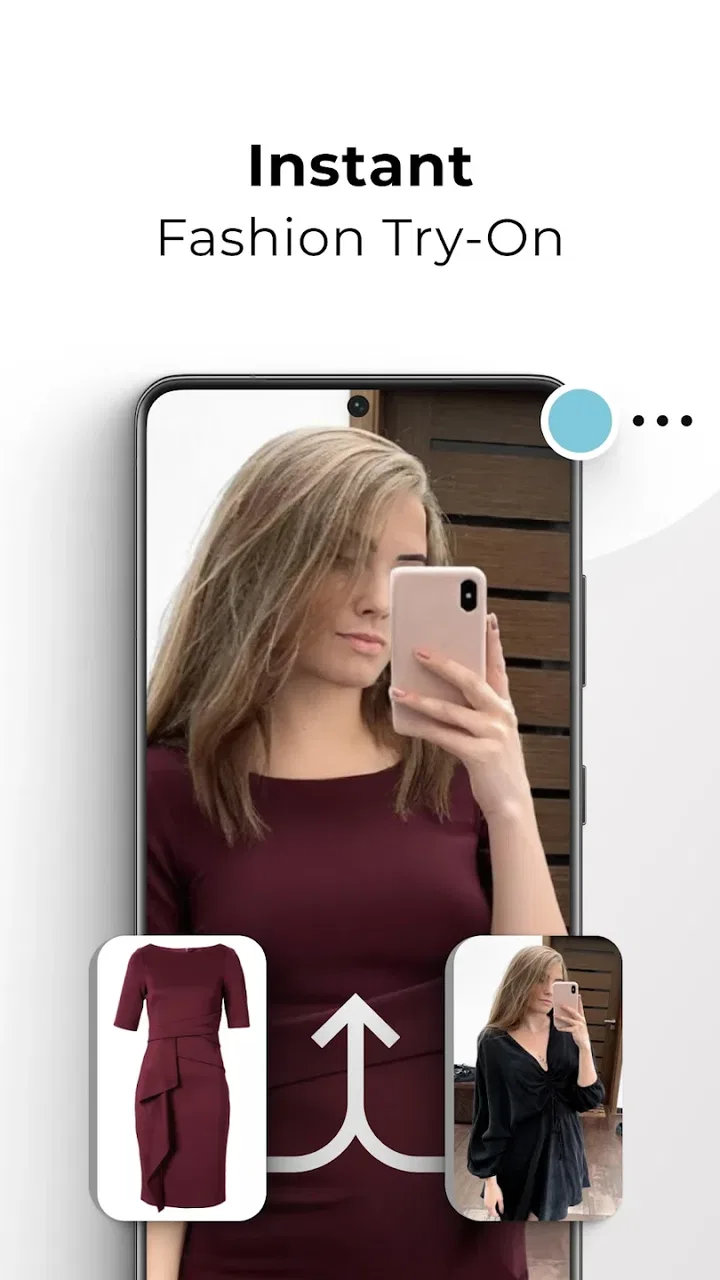
AI Clothes Try-On: DressTry is an innovative app that allows users to virtually try on clothes using augmented reality and artificial intelligence. By uploading a photo or using your device's camera, the app superimposes clothing items onto your image, providing a realistic preview of how the clothes will look on you.
02How accurate is the virtual try-on feature?
The virtual try-on feature is highly accurate, thanks to advanced AI algorithms that analyze your body shape and proportions. However, lighting conditions and camera quality can affect the precision of the fit. While it offers a close approximation, there may still be slight variances compared to trying on clothes in real life.
03Is the app free to use?
AI Clothes Try-On: DressTry offers a free version with basic features. However, to access premium clothing collections and additional customization options, users can opt for a subscription or in-app purchases. The free version still provides a good experience, but the premium features significantly enhance usability and variety.
04What devices are compatible with DressTry?
DressTry is compatible with most modern Android and iOS devices. It requires a device with a camera and a recent operating system version to ensure optimal performance. You can check the app store listing for specific device requirements and compatibility details before downloading.
05How does DressTry protect user privacy?
User privacy is a top priority for DressTry. The app uses secure encryption to protect personal data and images. Photos are only stored temporarily for processing and are not shared with third parties. Users can also find detailed information about privacy practices in the app's privacy policy.
Pros
- Realistic virtual try-on experience.
- Wide variety of clothing styles.
- User-friendly interface design.
- Fast processing and loading times.
- Personalized outfit suggestions.
Cons
- Limited size options available.
- Requires a stable internet connection.
- Occasional app crashes reported.
- Some features locked behind paywall.
- High battery consumption on prolonged use.

AI Clothes Try-On: DressTry
Gallery